TMS for freight brokers
Run every load from one screen.
Build the load, book a verified carrier, track the truck and send the invoice, with the busywork handled for you.
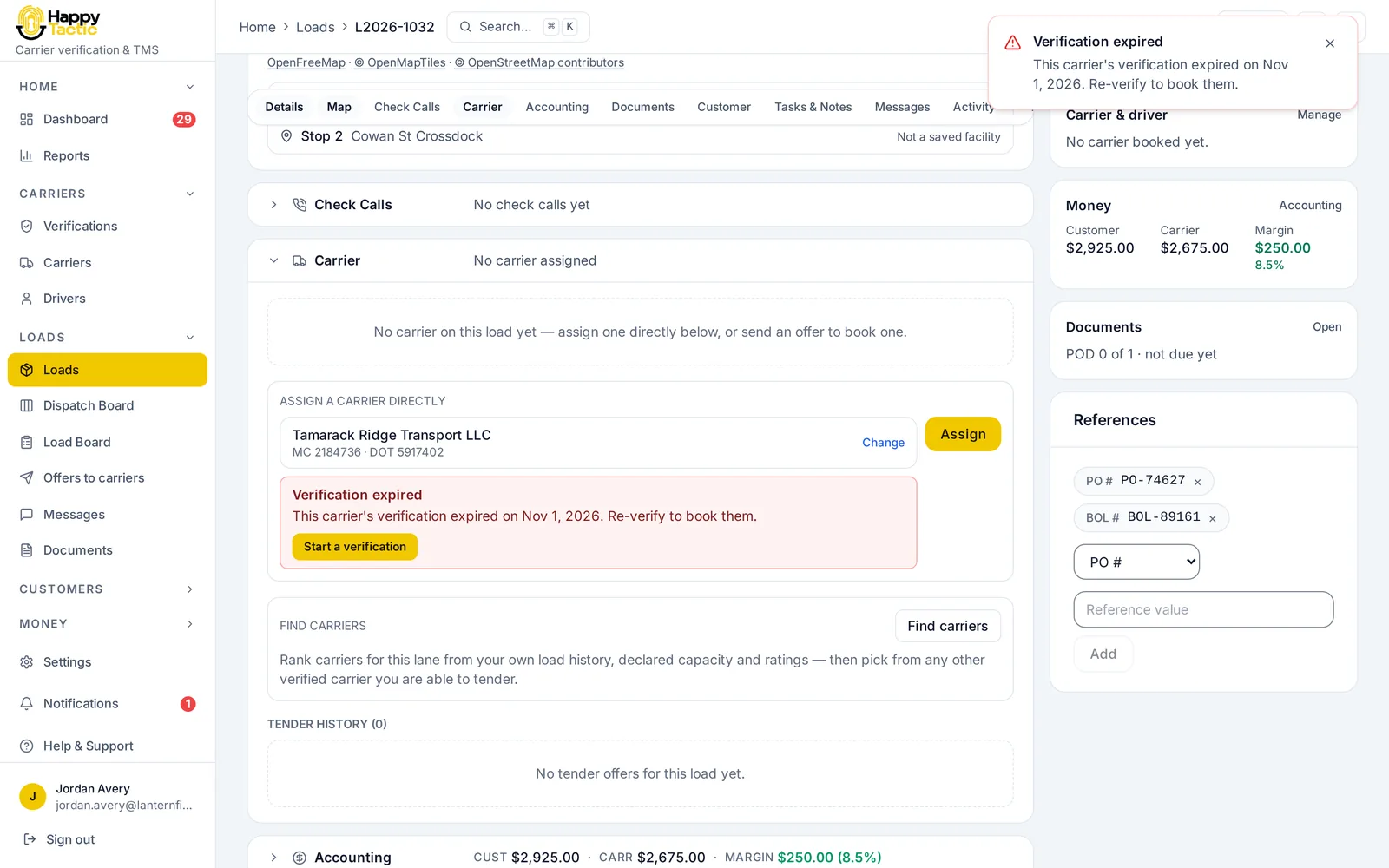
- Verification expired: booking blocked
- Rate con signed: driver texted
- POD in: invoice drafted
- Booked
- Dispatched
- In transit
- Delivered
- Invoiced
- Paid
Build the load
From tender to load, without retyping
Drop in the tender
Upload the customer’s tender as a PDF or photo, or paste the email. The new load opens filled in, with no retyping.
You check it first
Anything we weren’t sure of is highlighted. Nothing is saved until you press Create load.
Credit in view
The customer’s exposure stays on screen as you build. Over the limit, you choose: warn, or block.
Price it with your history
See what you charged and paid on this lane before, with a warning when margin drops under your floor. Market rates come from DAT and Truckstop.
Illustration with sample data.
Book the carrier
Book only carriers you trust
Most TMS software will dispatch anyone you type in. Here the carrier check sits right where you book, so a lapsed check doesn’t slip through on a busy day.
- Offer loads to carriers with a current, approved verification, minus your do-not-use list. Your own fleet books too, and so does a carrier an admin marks trusted, with a reason.
- Verification expired? Booking is blocked until they re-verify, and one click starts it.
- Do not book keeps a carrier off your list. A person can override it, and has to write down why.
- Set your own insurance minimums, then choose: warn, or block.
A vetting tool gives you a report. A regular TMS gives you a dispatch screen. Here they’re the same screen.
Who you can book
Sample carriers.
Cover the load
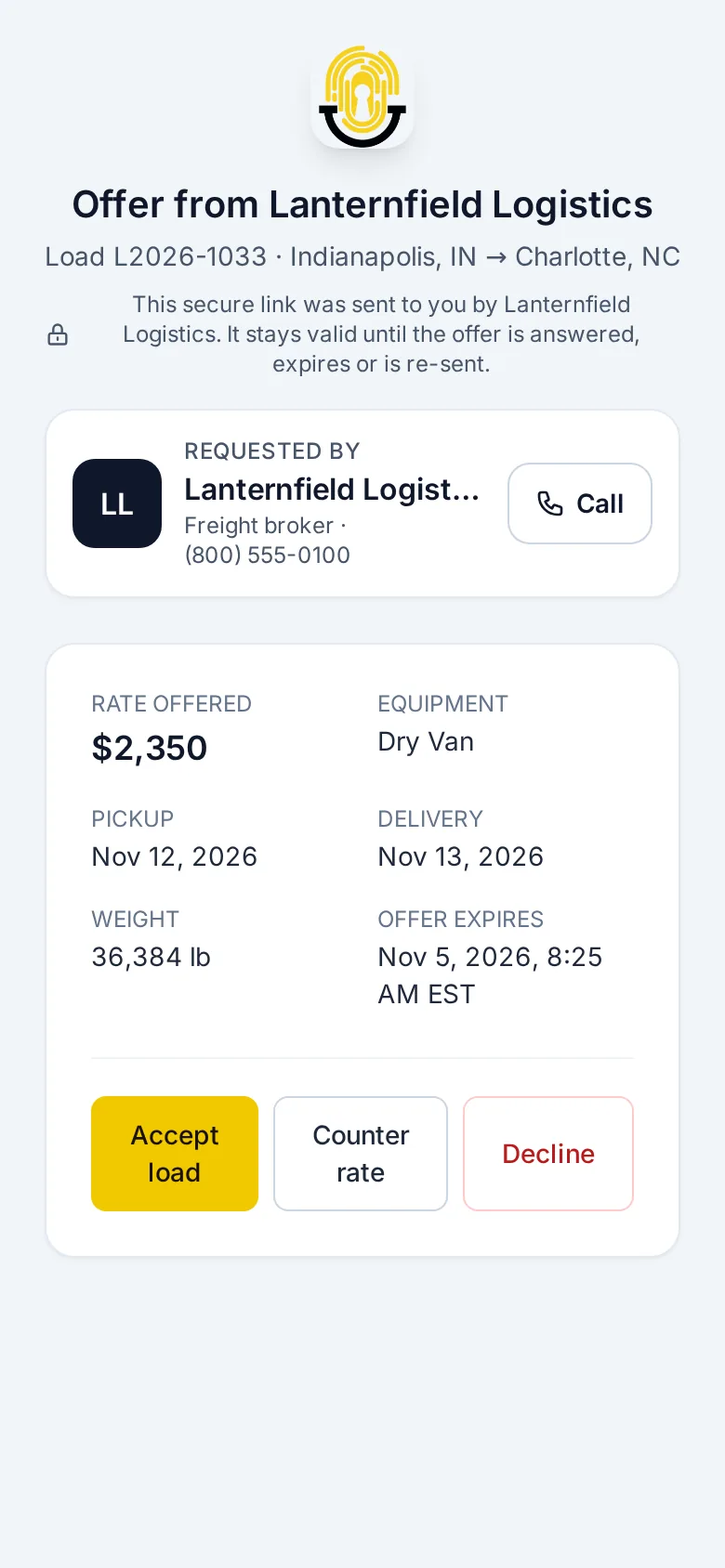
Carriers say yes from their phone
Know who to call first
Carrier suggestions come from your own lane history: who ran it, how recently, how on time. A blocked carrier is listed apart, with the reason.
No login, no app
Carriers get a secure link and can accept, counter or decline from one screen.
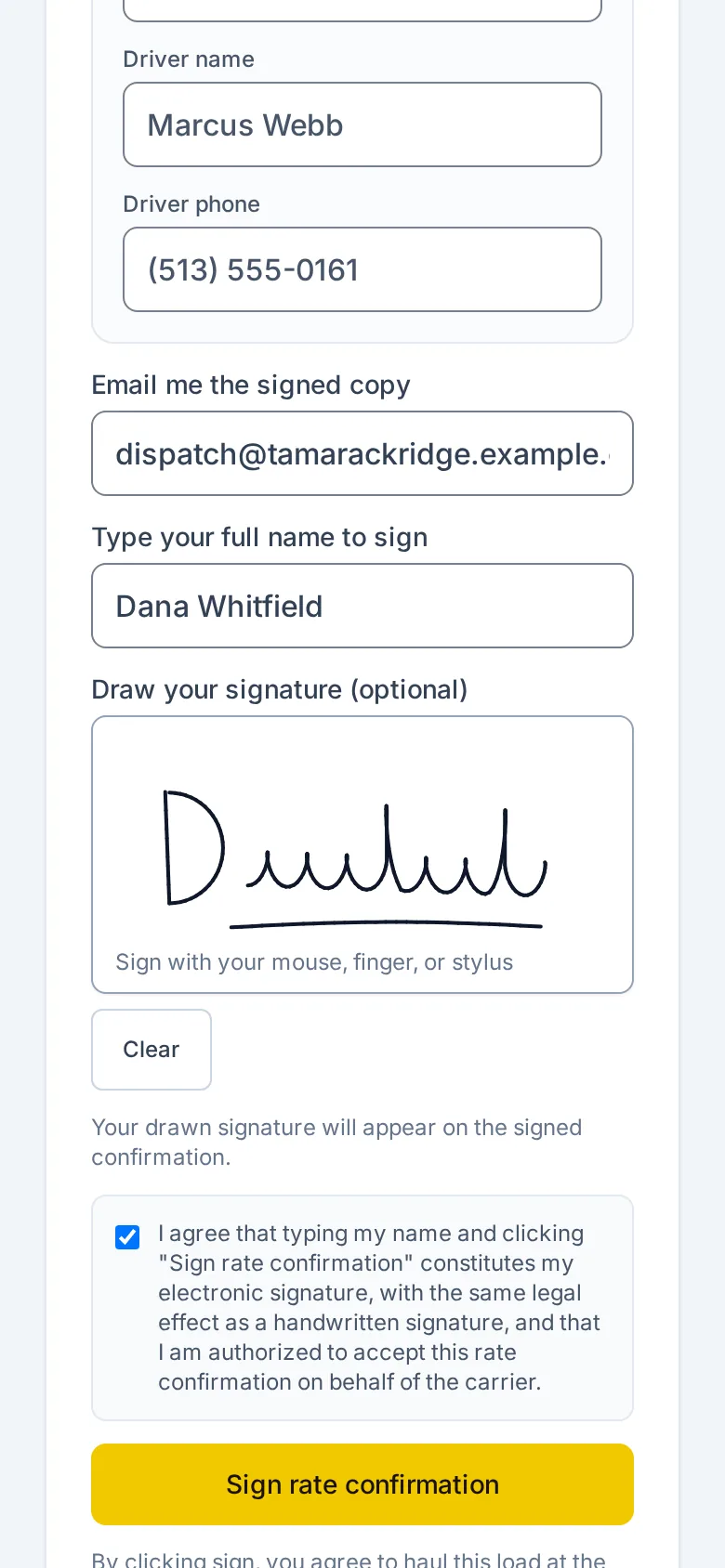
Rate con signed from the cab
The rate con follows the offer. The carrier fills in the driver and signs with a finger.
Theft and payment fraud
Catch cargo theft on the road. Stop payment fraud in the office.
Checking the carrier is step one. Thieves also show up on the day with the wrong phone, or change the bank details after delivery. So the protection stays on the load, all the way to payment.
What each moving load is watched for
- Tracking from the verified driver’s phone
- This phone is not the verified driver’s
- Internet-calling number on the driver
- Faked location
- Truck far from pickup, close to appointment
- Pickup number hidden until tracking starts
Red flags on the load
The wrong phone, an internet-calling number, a faked location or a truck far from pickup raises a flag on the load and puts it in Needs attention.
Pickup number held back
The driver sees the pickup number once the verified driver’s phone is tracking. You can release it yourself if you need to.
Payment details protected
When your team changes a carrier’s pay details or your factor’s email, it waits for an admin’s approval and the old details stay in use. That stops payment-redirect fraud.
Driver and truck card
Send the shipper a card with the driver and truck, so the dock knows who’s coming.
Run the day
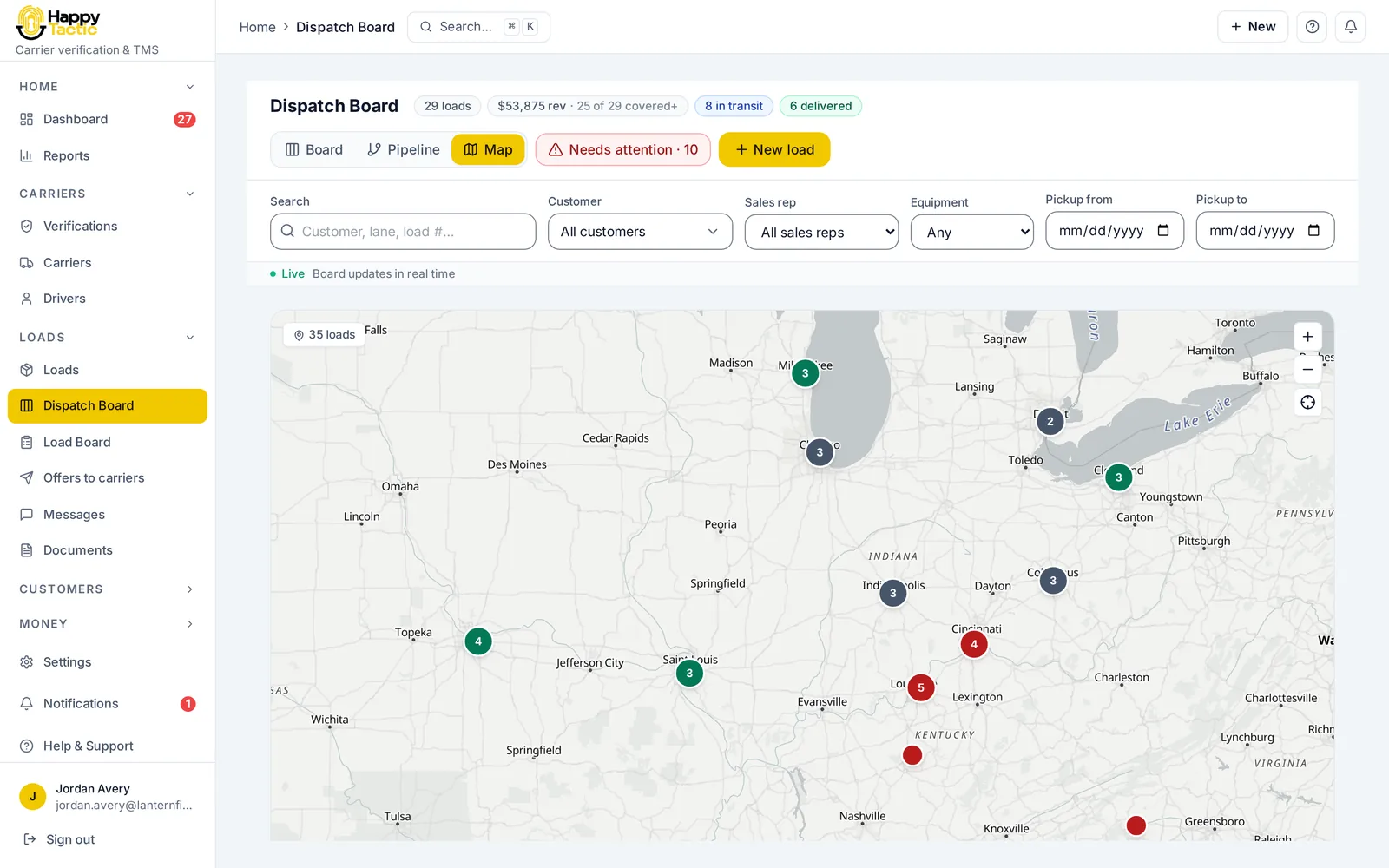
A board that shows what needs you
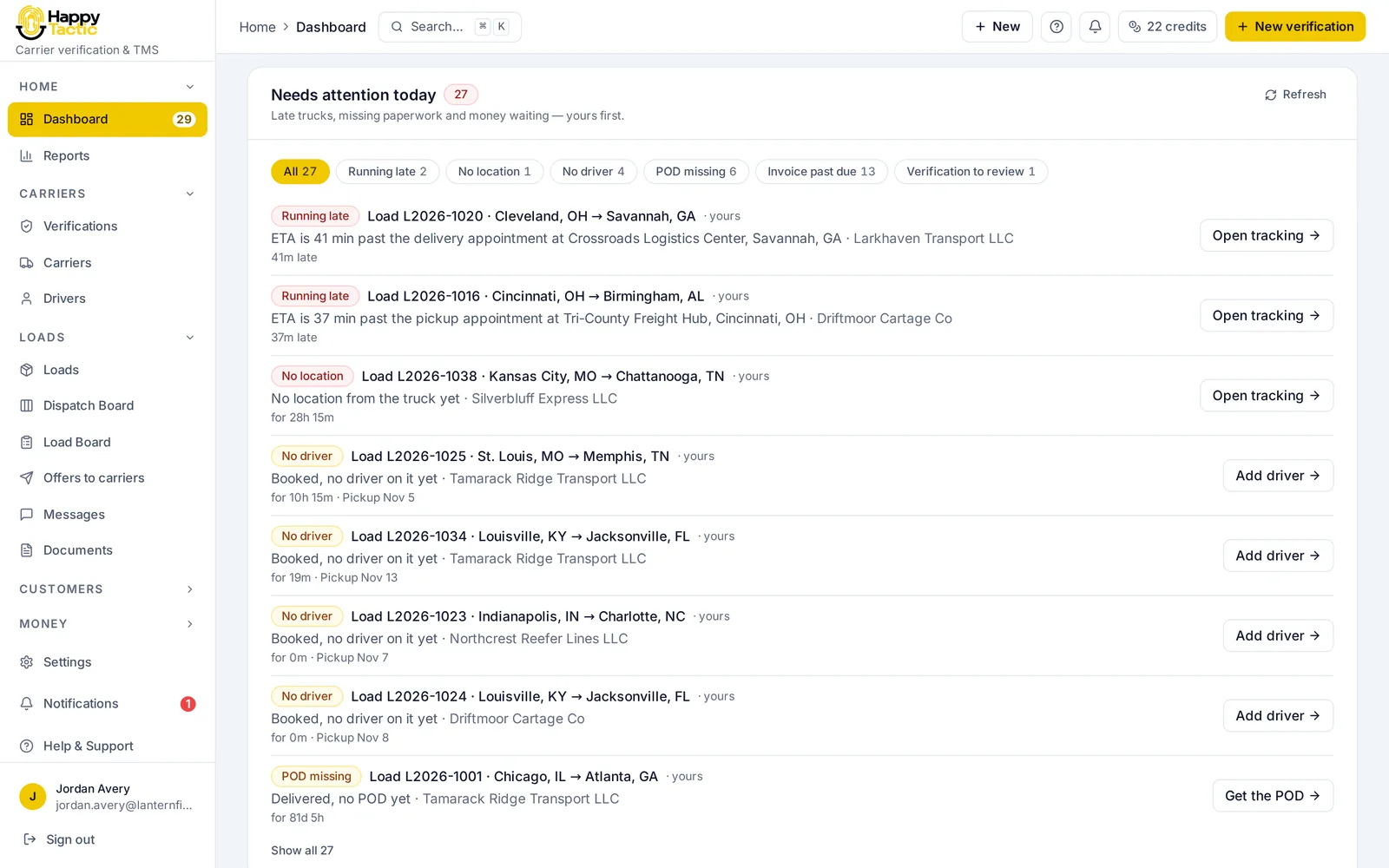
Needs attention puts the problems first: dark trucks, no-shows, loads with no driver, missing PODs. Each one comes with the button that fixes it.
- Drag loads across a board, with revenue totals on every column
- Saved views for each dispatcher
- A live map that updates without a refresh
Follow the truck
Tracking without the phone calls
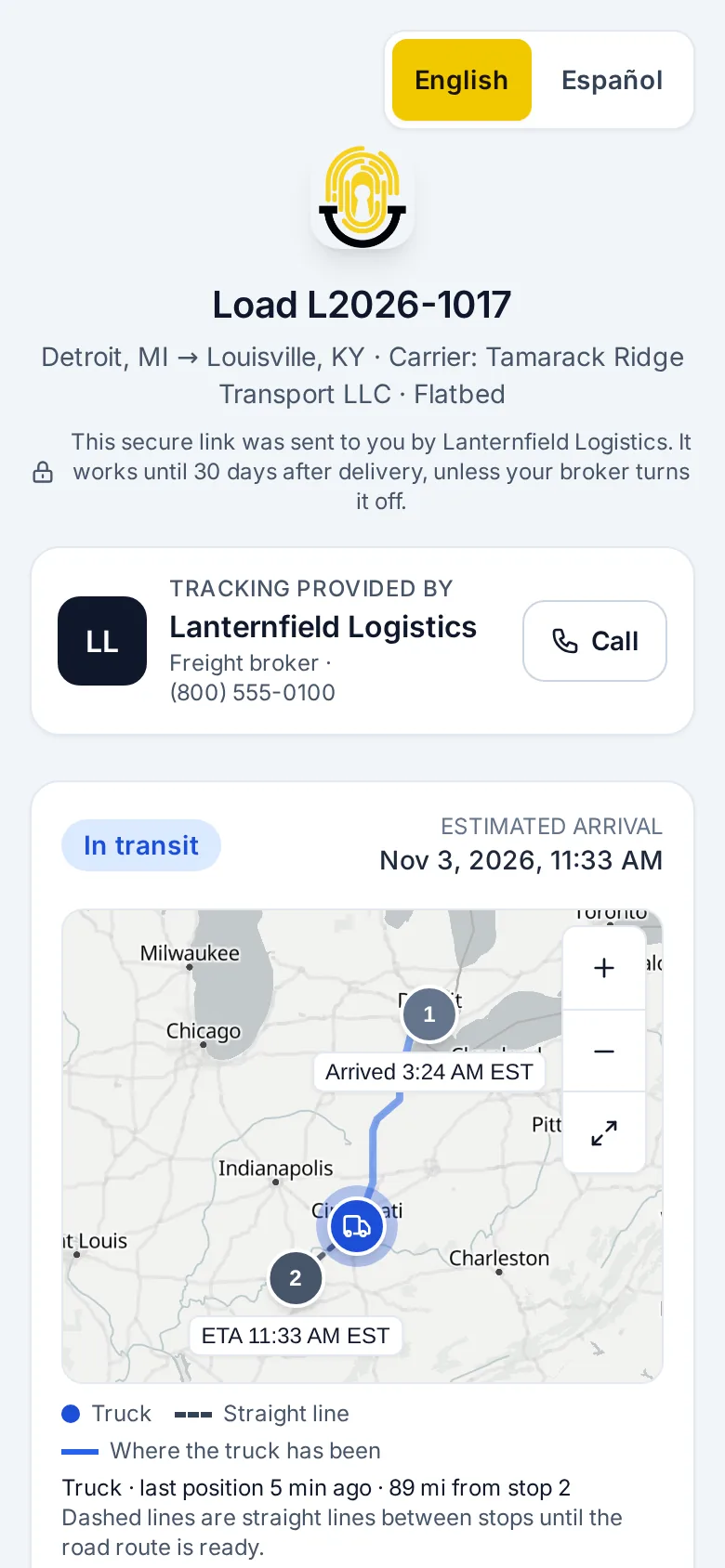
A text link, no app needed
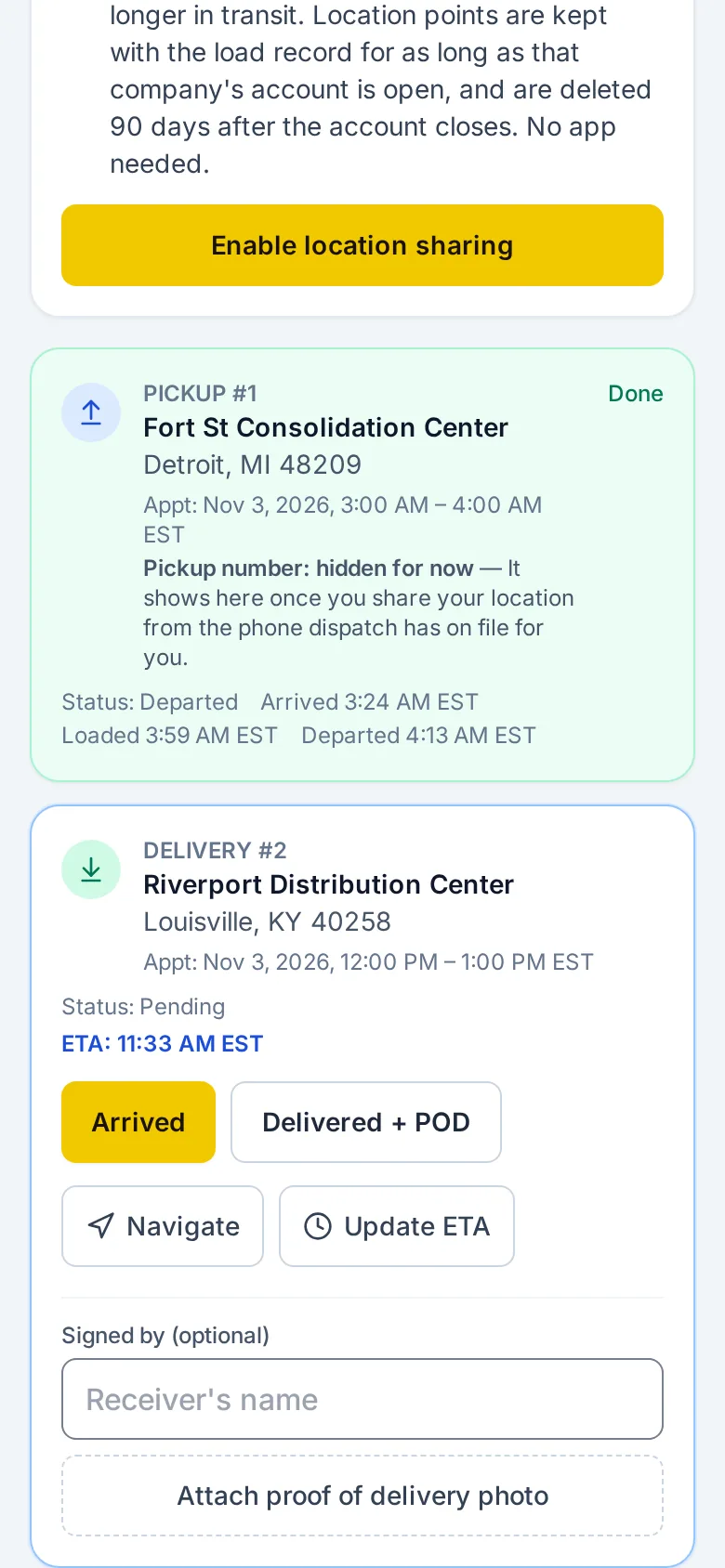
The driver gets a link by text for check-ins, location and POD. Prefer an app? Happy Tactic Driver is on Android.
Fewer “where’s my load?” calls
Each customer gets a portal link to their own loads and shared documents, with no login, plus scheduled reports.
ETAs that allow for breaks
ETAs include the breaks a driver has to take, so the time you give your customer is realistic.
Fewer false alarms
Off-route alerts wait until a truck is clearly heading the wrong way. Another highway to the same stop stays quiet.
Check calls ask for themselves
No location on a moving load? The driver gets a text, then your dispatcher gets told.
Driver pages in Spanish
Drivers can use their pages in English or Spanish.
The busywork
Fifteen steps nobody has to remember
The small, certain moves on every load happen by themselves. Each step has its own switch.
Loads
- Rate con signed and driver set: Dispatched, and the driver gets their link.
- Driver checks in: the status follows.
Paperwork
- Delivered with the POD on file: into invoice audit.
- Audit complete: an invoice draft, ready for you to send.
Money
- A payment covers the invoice: Customer paid.
- Customer paid and carrier paid: Completed.
Reminders
- POD missing after 24 hours: text the driver, email the carrier.
- Rate con unsigned after 2 hours: remind the carrier.
Send the invoice
Get paid faster
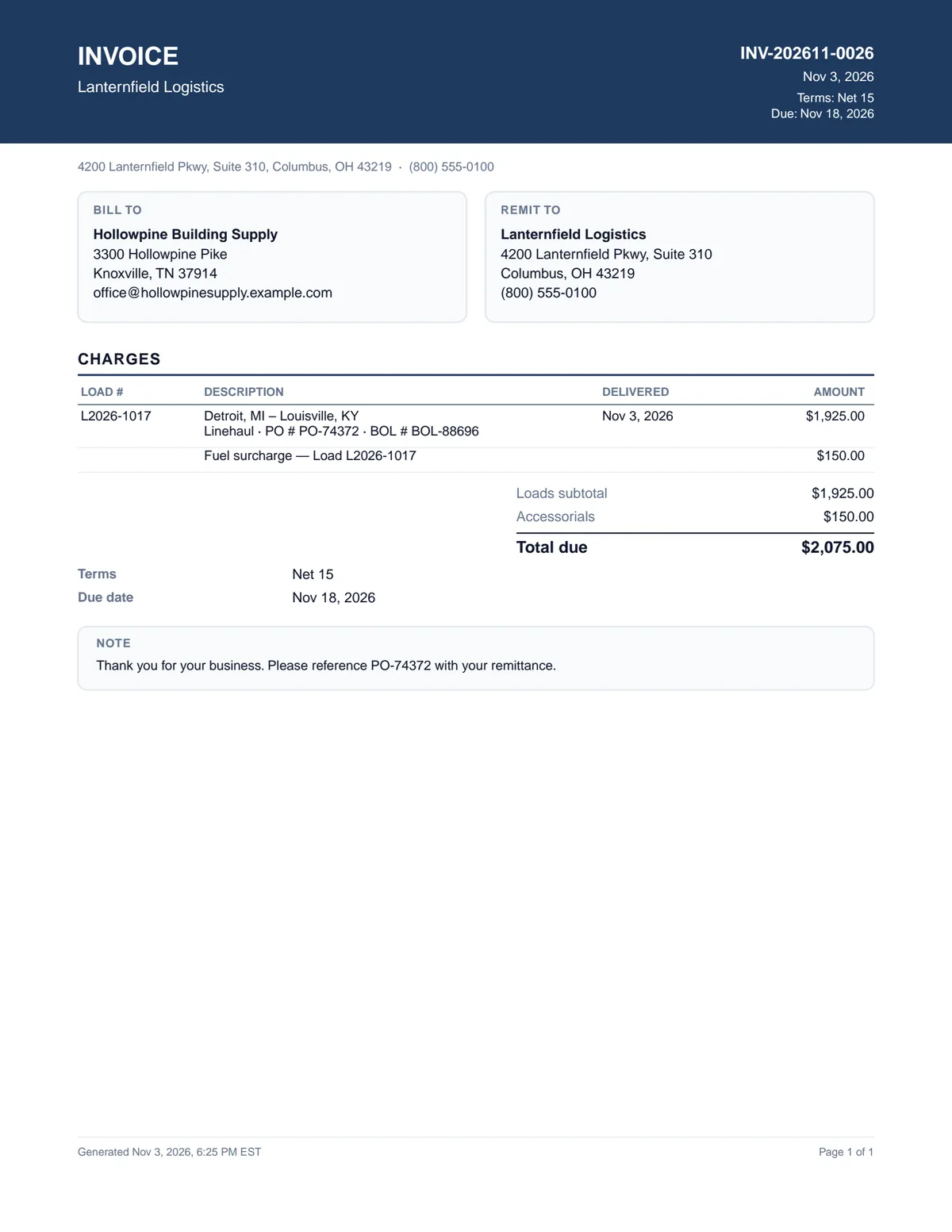
No digging through folders at 4:45 on a Friday. The paperwork is already on the load, so the invoice can go out the day it delivers.
Bill from the load
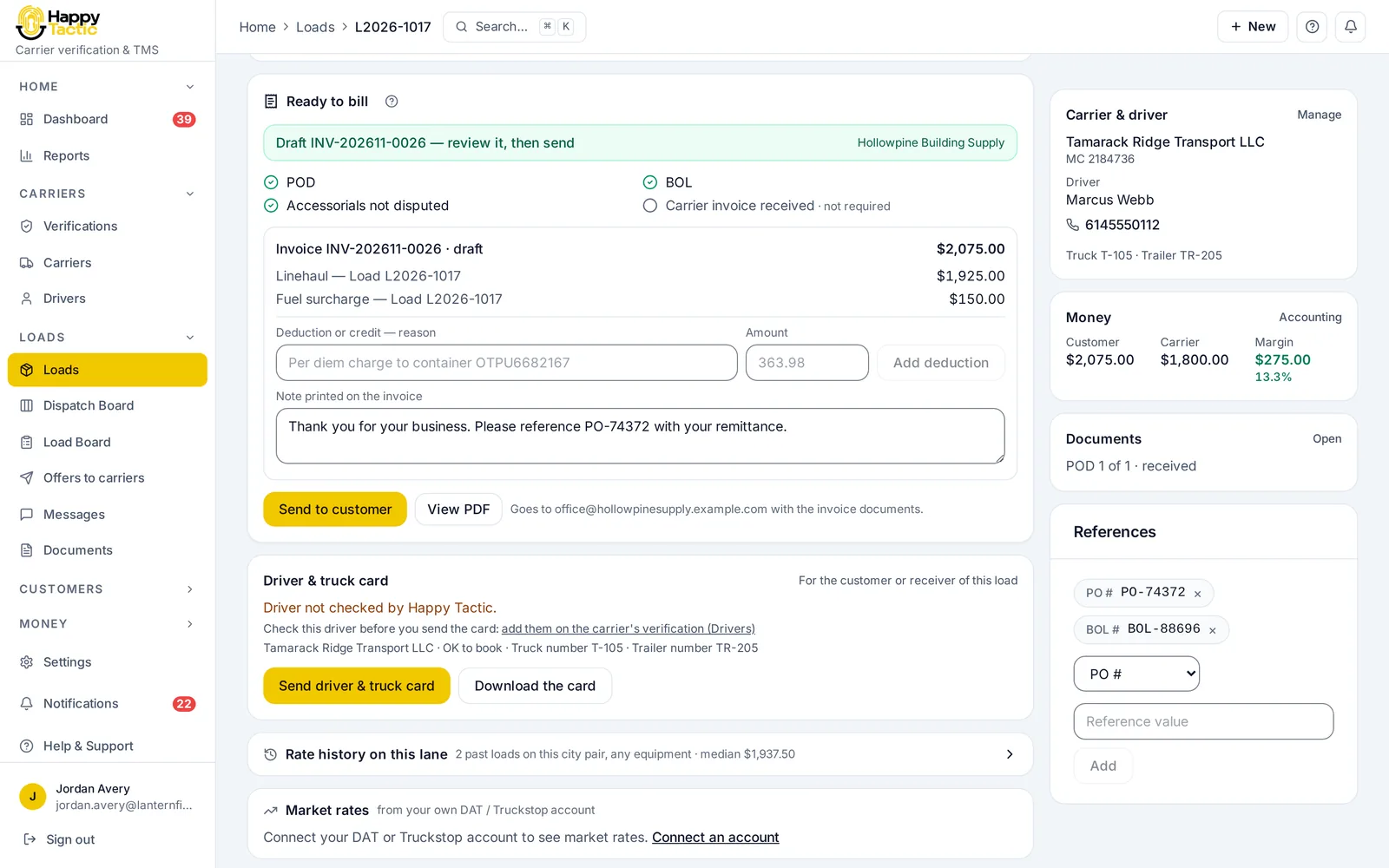
A Ready-to-bill check shows what’s on file and what’s missing. Then one button sends the invoice to the customer.
Batch the clean ones
Approve clean loads together and invoice per customer, with the rate con and POD attached.
Stop losing detention
When the driver’s phone shows a stop past free time, you get a suggestion with the hours. Add it to the invoice or the carrier’s pay, or dismiss it.
Send to any factor
Send the packet to any factor by email. Notice of Assignment and the advance and reserve math are built in.
Pay runs
Pick approved carrier bills and pay them in one go. Check management and quick-pay tiers are built in too.
Close the month
Once a month is closed, its invoices, bills and payments stay as they are. An admin can reopen it with a reason.
Terms and aging
Net terms set per customer, AR and AP aging, and past-due reminders if you want them.
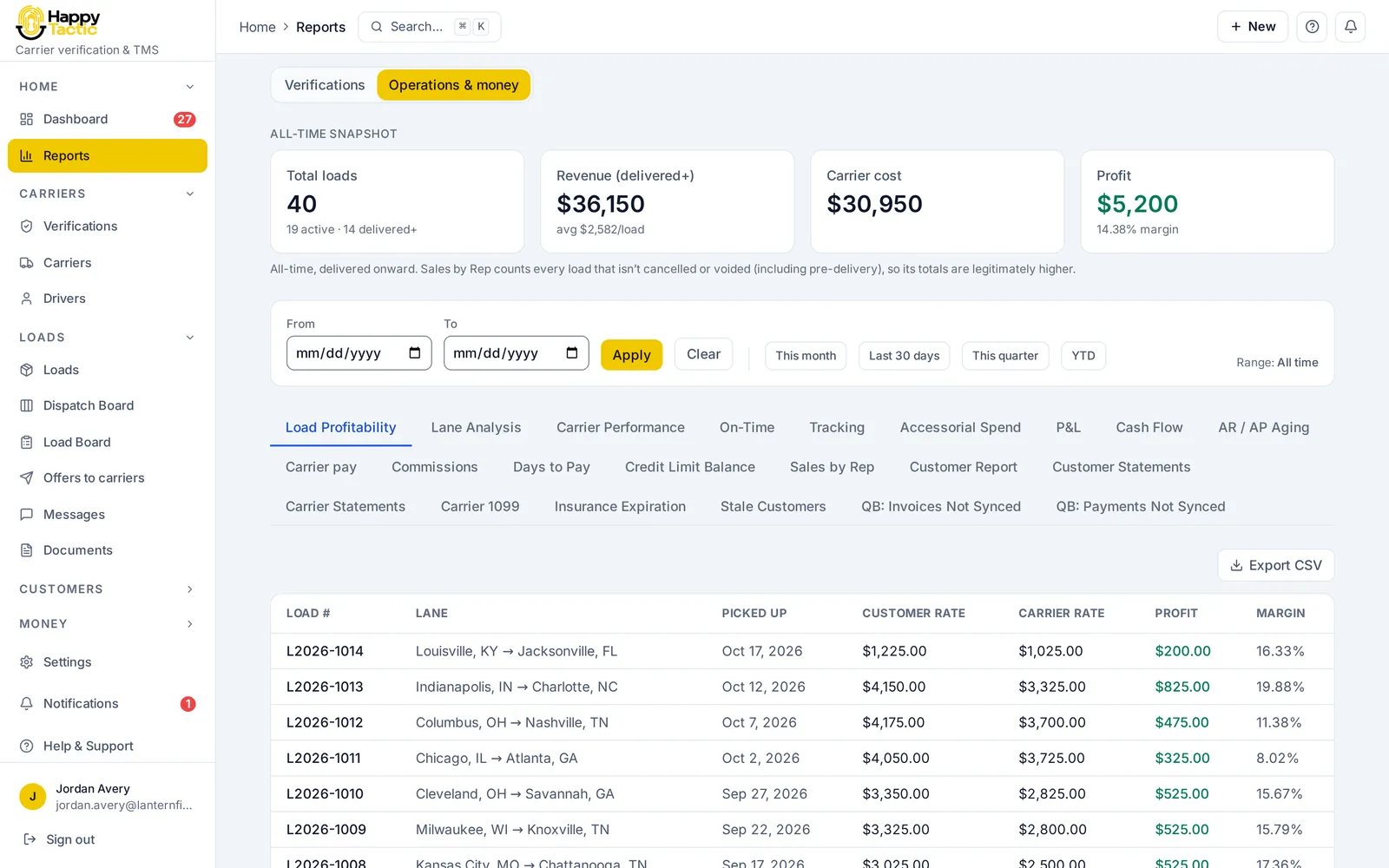
20+ reports
Profit per load, lanes, on-time, carrier performance, days to pay and carrier 1099.
Keep it running
Your fleet and paperwork
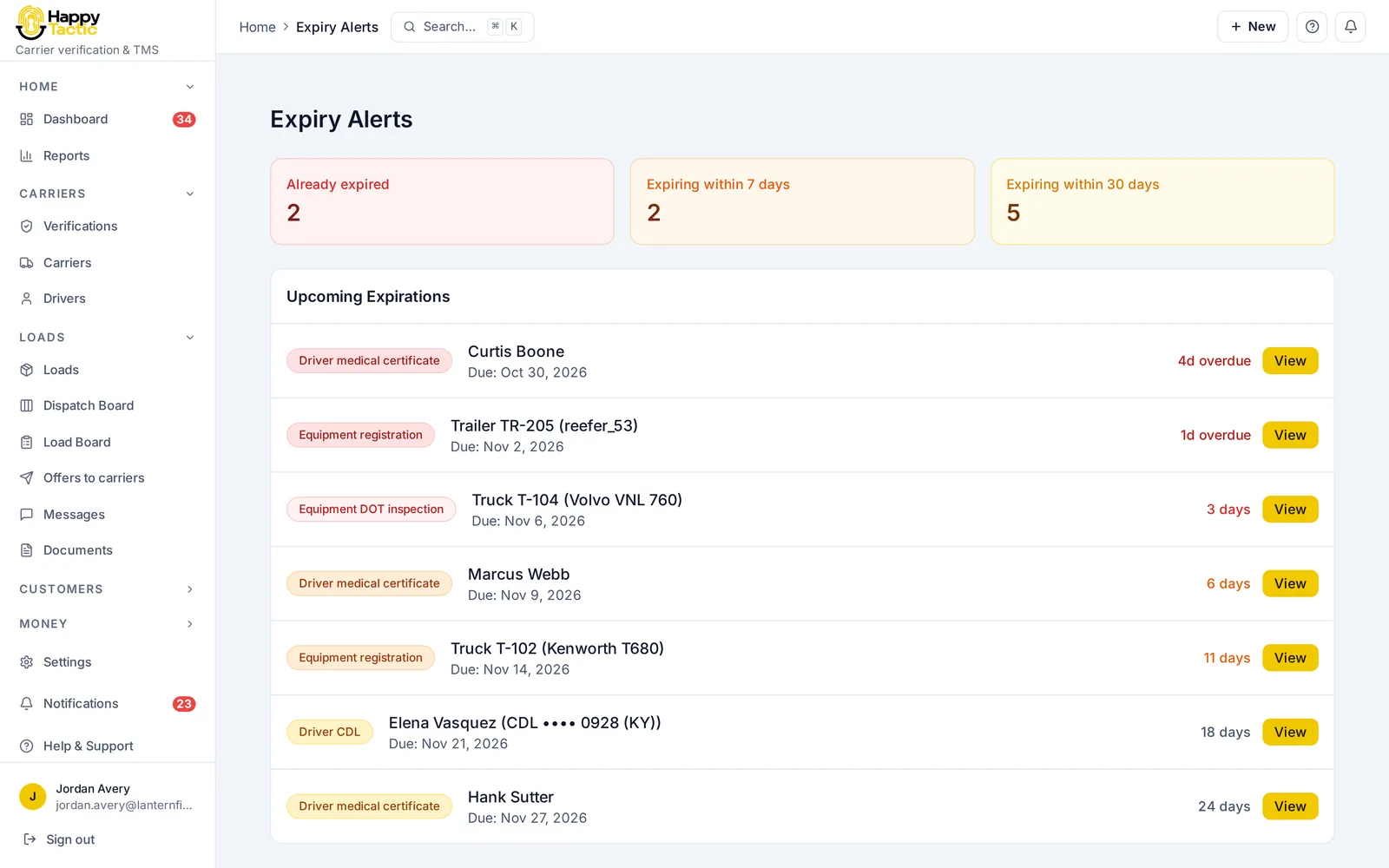
Expiry alerts
Medical cards, CDLs, registrations and inspections flagged before they become a roadside problem.
Trucks and trailers
Maintenance and inspection records where dispatch can see them.
Driver hours from your ELD
Hours sync for linked drivers from Samsara, Motive and Geotab.
Verified drivers, no re-keying
A driver approved in a verification lands on your roster, linked to the file.
Paperwork made for you
Rate cons, BOLs, invoices, Notices of Assignment, and dispatch sheets with the money taken out.
E-sign with no login
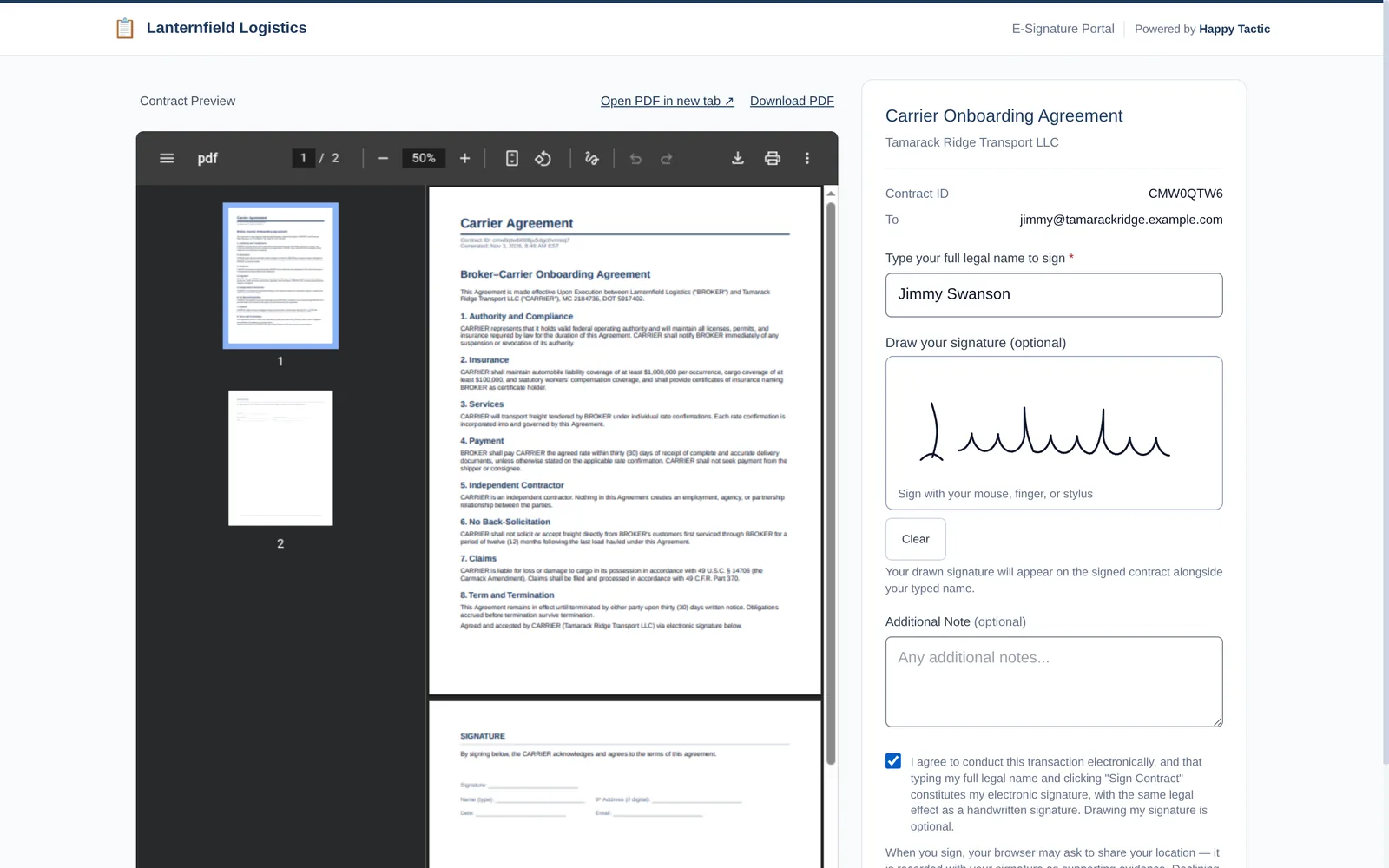
Rate cons and carrier agreements are signed from a secure link. Agreements keep a tamper-evident signing record.
Scans filed for you
Drop in a multi-page scan and each page goes to its load, marked for the invoice waiting on it.
Claims on the load
File from pickup onward. The load shows Claim filed until it’s settled.
Fits your setup
It connects to what you run
Accounting
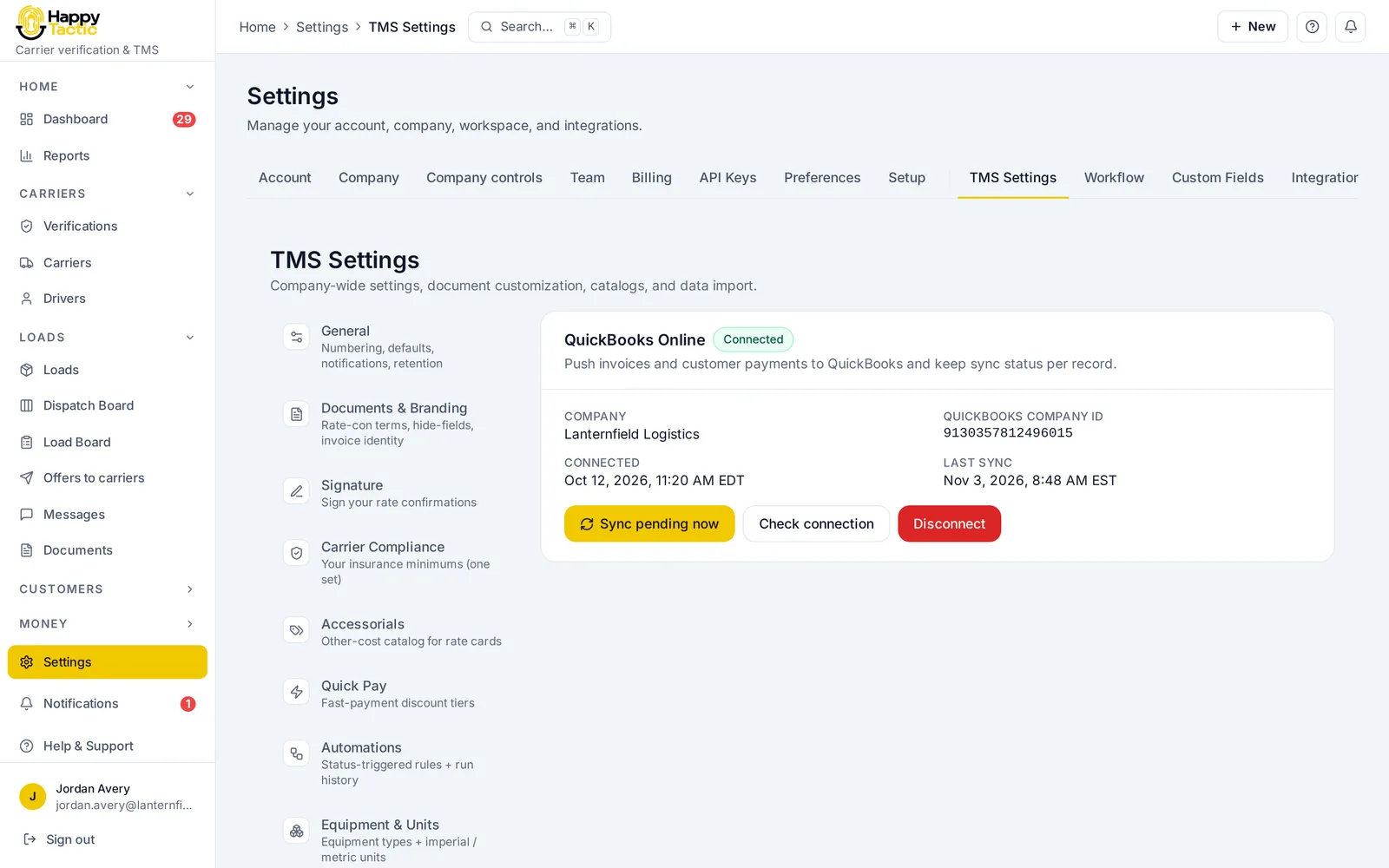
QuickBooks Online
ELD
Samsara, Motive, Geotab
Load boards and rates
DAT, Truckstop, on your own account
EDI
204 tenders arrive as draft loads
Factoring and payments
Any factor by email, StratoPay, Epay Manager
Fuel cards
Any card by file import, with presets for EFS, WEX, Comdata and more
Your old TMS
Import with a preview first, and presets for EZ Loader
AI assistants connector
Run loads, carriers and invites from Claude or ChatGPT
Questions brokers ask
Straight answers
Can I book a carrier whose verification has expired?
No. An expired verification blocks booking until the carrier re-verifies, and one click starts it. A Do not book result keeps a carrier off your list unless a person overrides it with a written reason. Your own fleet can be booked too, and so can a carrier an admin marks trusted, with a reason.
Do carriers and drivers need a login or an app?
No. Carriers accept offers and sign rate cons from a secure link. Drivers get a text link for check-ins, location and POD, in English or Spanish. If a driver prefers an app, Happy Tactic Driver is on Android.
How does it help with cargo theft?
The load raises a red flag for the wrong phone, an internet-calling number, a faked location or a truck far from pickup close to the appointment. The pickup number can stay hidden until the verified driver’s phone is tracking. You can also send the shipper a driver and truck card, so the dock knows who’s coming.
What happens on its own, and can I turn it off?
Fifteen automatic steps cover status moves, paperwork, payments and reminders, and each has its own switch. Sending invoices and approving carrier bills start off, so you review first. Nothing runs on imported history.
Does it work with QuickBooks, my ELD and EDI?
Yes. QuickBooks Online syncs customers, invoices and payments. Driver hours come from Samsara, Motive and Geotab. EDI 204 tenders arrive as draft loads, by file or SFTP.
Can I bring my data from my old TMS?
Yes. Import shows a preview first and has presets for EZ Loader exports. Automatic steps never act on imported history, so old loads don’t get texted, invoiced or moved.
Which plans include the TMS?
The full TMS starts with Regional at $299 a month, then Linehaul at $499, Fleet at $750 and Enterprise. Hotshot at $150 is the verification suite only and has no TMS.
See your loads on one screen.
Book a call with a founder and watch a load go from tender to paid.