Load tracking
Fewer “where’s
my load?” calls.
The driver gets a text link that works on any phone. Your customer gets a tracking page of their own. You see every load on your map, without calling anyone.
No app needed for the driver · No login for your customer
latest I-85 N, northbound
→ on your map in seconds, no refresh
LIVE MAP · ILLUSTRATION
The driver’s text link
Works on any phone. No app, no account.
Dispatch a load and the driver gets a text with a link. That link does the whole job: check in at each stop, set an ETA, upload the POD and share location while the page is open.
The text goes out the moment you dispatch. Nobody has to remember to send it.
Arrived, loaded, departed, delivered. Each one lands on your board as a status, not a voicemail.
Photo or PDF, straight from the driver’s phone at the receiver. It attaches to the load.
Driver pages are available in Spanish.
THE DRIVER’S TEXT LINK · ILLUSTRATION
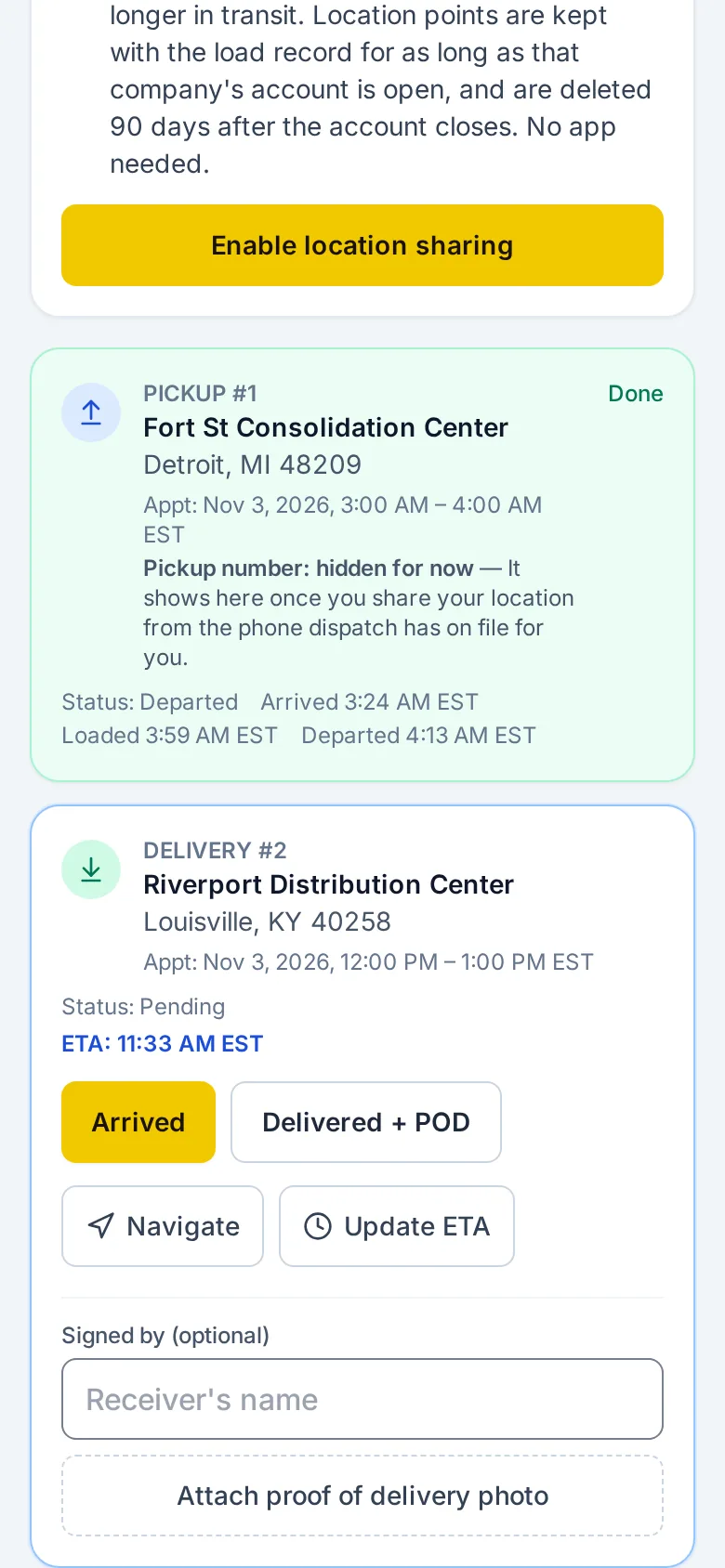
Each stop is a card. The next tap is on it.
A finished pickup keeps its times. The stop ahead has the buttons: Arrived, Delivered + POD, Navigate, and Update ETA.

One text. One link. No app to install and no account to create.
Customer portal
Your customer checks the load. You skip the call.
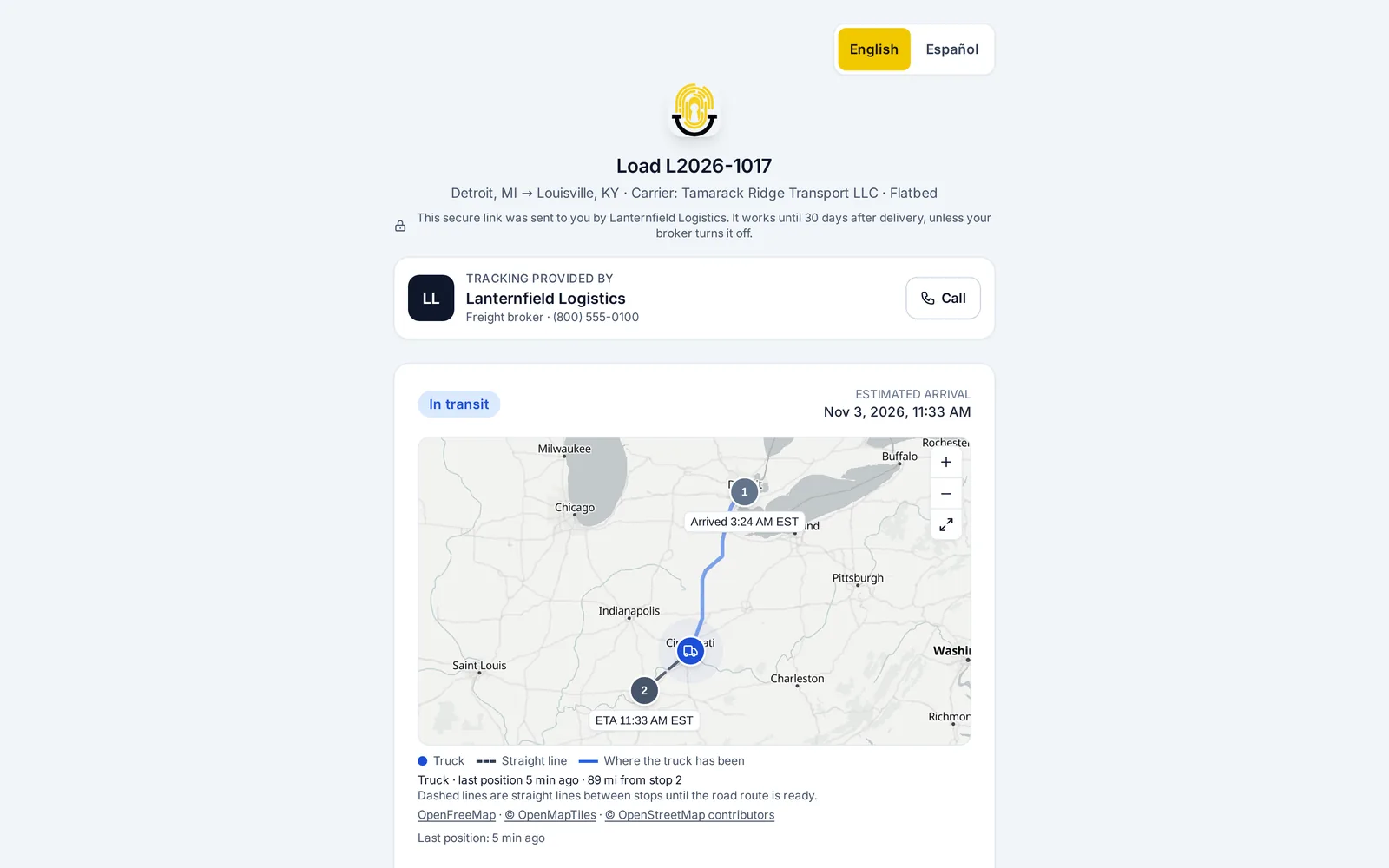
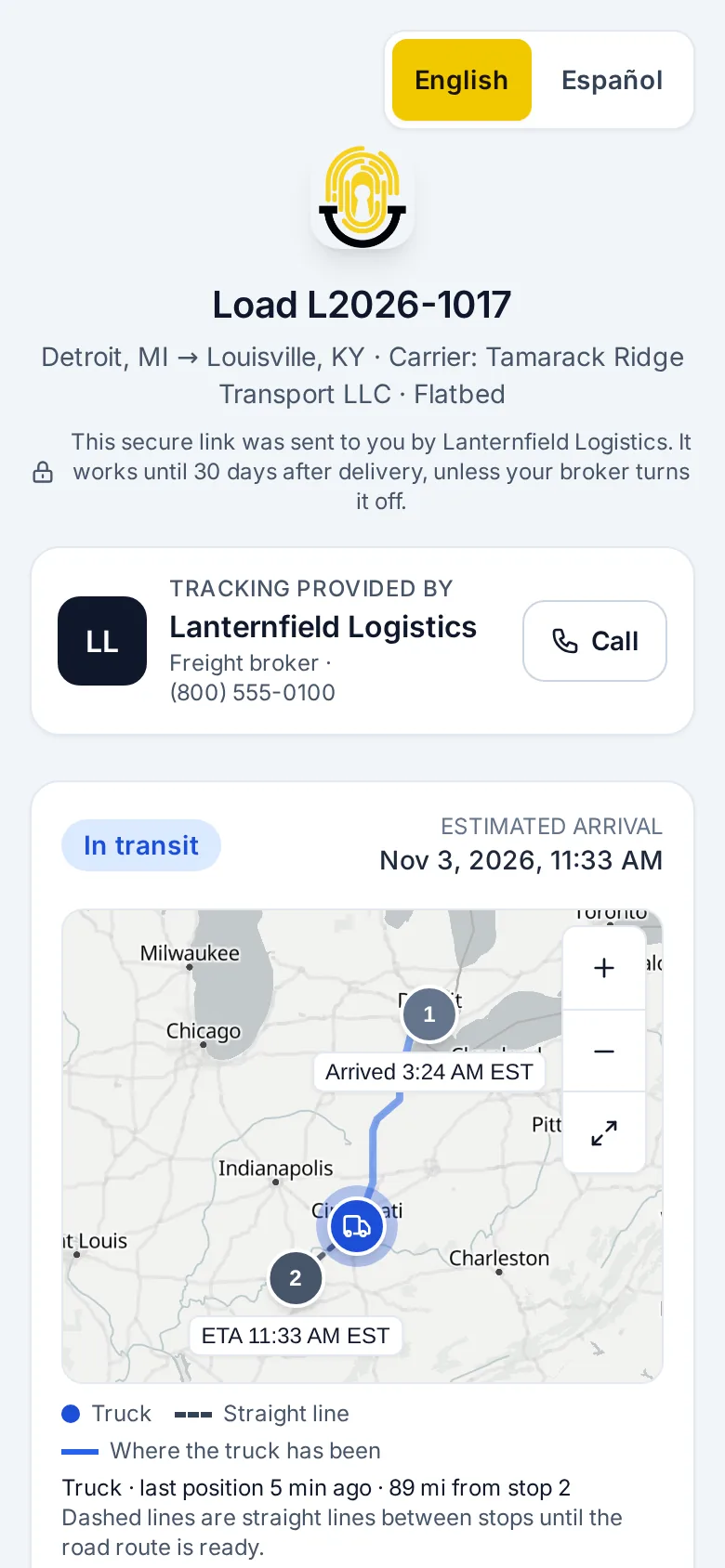
Every load gets a tracking page with no login and no app. It shows the status, the lane, the stops, the live position and the ETA, and it never shows your rates or margin.
THE CUSTOMER’S PAGE · ILLUSTRATION
It stays that way no matter who the link is forwarded to.
Safe to forward.
Your rules
Set your rules once. They run on every load.
- Hold back the pickup number until the verified phone is tracking.
- No POD, no invoice: warn, or block invoicing until the POD is on file.
- Choose how a load tracks: app first with the text link as backup, text link only, or app required.
COMPANY DEFAULT · CHANGE IT ON ANY LOAD
pickup → verified phone not tracking yet
✕ HELD: pickup number hidden
07:31 verified phone tracking
✓ RELEASED: pickup number shown
invoice → marked delivered 16:38
✕ HELD: no POD on file
17:22 POD received · attached to load
✓ RELEASED: invoice moves to audit
What runs on its own
Fewer calls. In both directions.
Nobody has to remember to ask the driver where the truck is, or to tell the customer.
ETAs that allow for breaks
ETAs update as the truck moves and allow for driver breaks, so you get fewer false off-route alerts.
Check-call request
A moving load shows no location for three hours. The driver gets a text asking for a check call. Still quiet 30 minutes later, your dispatcher is told. You set the hours.
Customer tracking emails
Your customer gets an email when the load is dispatched, with the tracking link, when it runs late, and when it’s delivered.
Driver and truck card
Send the shipper or receiver one page so they know who’s coming: the carrier, its verification result, MC and DOT, insurance, the driver and the truck. If we haven’t checked that driver, the card says so.
Scheduled reports
A weekly load report for each customer, by email. Carrier pay, margin and profit are never in it.
HAPPY TACTIC DRIVER (ANDROID) · ILLUSTRATION
Android app
Happy Tactic Driver. Keeps tracking with the screen off.
A driver with the app tracks in it, with the text link as backup. For long dark stretches or high-value freight, set the load to app required.
Happy Tactic Driver on Google PlayThe driver signs in with a code by text.
Keeps reporting with the screen off, behind a notice the driver can always see. One-tap check-ins and a built-in POD camera.
Locations are saved on the phone and fill in, in order, when coverage returns.
No carrier ever needs an account or password.
Tenders, rate cons, tracking, PODs and the dispatcher’s page all open from a secure link.
The carrier side
The carrier’s dispatcher gets one page, not a login.
One secure link for their loads at the carrier rate, tenders to accept, reject or counter, and rate cons to sign. When the verification expires, the link stops working.
- Both sides see the verification countdown. No surprises on the last day.
- Loads show the carrier rate only. The customer rate and your margin stay hidden.
- One click resends a driver’s link.
THE DISPATCHER’S PAGE · ILLUSTRATION
Questions brokers ask
Straight answers.
Does the driver have to install anything?
No. Dispatching a load texts the driver a link. Check-ins, ETAs, POD upload and location sharing all work from that page in any phone’s browser. The Happy Tactic Driver app for Android is optional; set a load to app required when you want it.
What does my customer actually see?
Status, lane, stops, live position with the route the truck has driven, and the ETA. The page names your company, with your main phone line, and the carrier. It never shows your rates, your margin, your staff’s names and numbers, internal notes, or the carrier’s contact information. Driver and truck details and the POD appear only if you switch them on for that load. The link needs no login, so it’s safe to forward, and it stops working 30 days after delivery.
What happens when tracking goes quiet?
The driver gets a fresh link by text, automatically. If a moving load still shows no location after three hours, the driver is asked for a check call, and 30 minutes later your dispatcher is told.
Can my customer get updates without opening the link?
Yes. Tracking emails go out on dispatch, when a load runs late, and on delivery, and you can add picked-up and arrived emails. You can also schedule a weekly load report for each customer, and send a one-page driver and truck card from the load page.
Does it work on an iPhone?
Yes, through the text link. Any phone can use it in the browser for check-ins, ETAs, POD upload and location sharing while the page is open. The Happy Tactic Driver app is on Android, through Google Play.
Can a driver say no to GPS?
Yes. App tracking starts only after the driver accepts an invite on their own phone, a notice stays on screen the whole time location is shared, and a driver can remove a broker at any time.
Do carriers or their dispatchers need Happy Tactic accounts?
No. Tenders, rate cons, tracking, PODs and the dispatcher’s page all open from a secure link.